
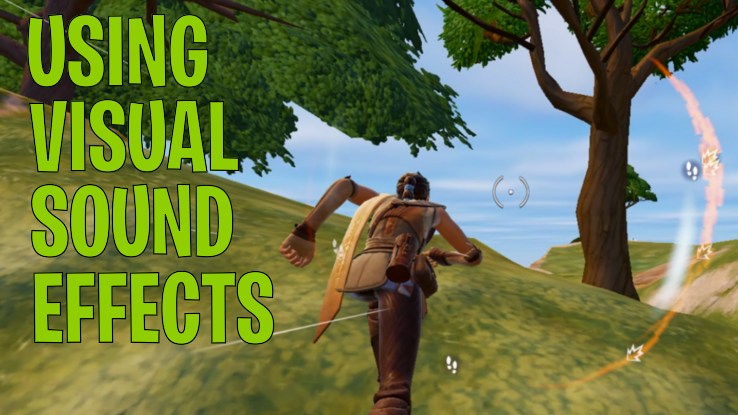
Using Visual Sound Effects
Visual Sound Effects are achieved by icons showing up on-screen in a circle that rotates around the cross-hairs (or center of your screen) as you adjust your direction. You might be taking these for granted if you just started playing or if you’ve been playing for a really long time. These are an often overlooked or underrated element of the information the game is making available to you. Ensure you know what all of the icons mean and make sure you are incorporating this information into your real-time decision making.
When there is a lot going on in the audio around you, these can help you to determine what is coming from where or to catch a sound visually that you may have tuned out audibly. The directional and proximity (brightness) elements of the visual sound effects are especially helpful as you are increasing in knowledge and skill in the game. When you learn to rely on them, they’ll become automatic for you over time and you won’t even have to think about them; you’ll just take in the information sub-consciously and “know”.
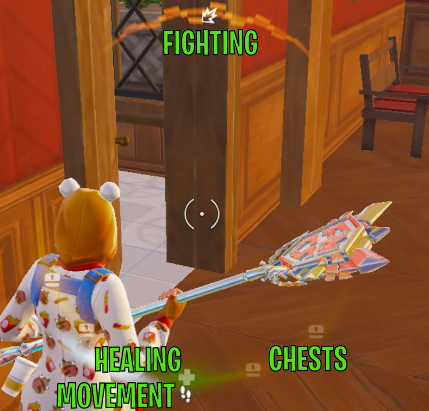
- Footsteps
- Indicates movement nearby
- You need to “creep” in order to avoid having your footsteps shown to others nearby
- Seeing the direction of footsteps can help with chasing or being chased by an opponent, especially through builds or buildings when you can’t necessarily see your opponent’s location otherwise.
- Healing / Medical Cross
- Indicates that a nearby player is currently healing
- Can be aligned with footsteps also if the healing player is walking
- Fighting
- Indicates use of a weapon or pickaxe nearby. This could be a battle between other opponents, or could be someone farming materials (from trees, rocks, or structures)
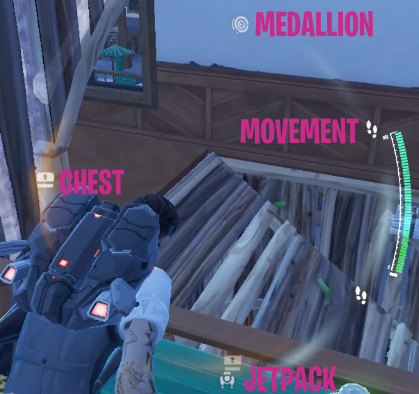
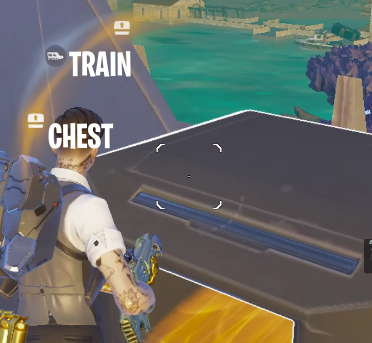
- Chests
- Indicates a chest is nearby, in the direction indicated
- This could be any of the various types of chests existing in a given season
- Medallion
- Indicates a medallion is nearby and not currently held by an opponent (so it could have been dropped)
- All medallions show the same visual sound effect
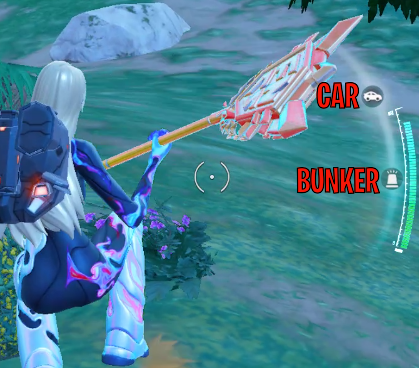
- Cars
- Indicates a running car nearby. The car could be stationary but running, or could be moving, or could be crashing through things
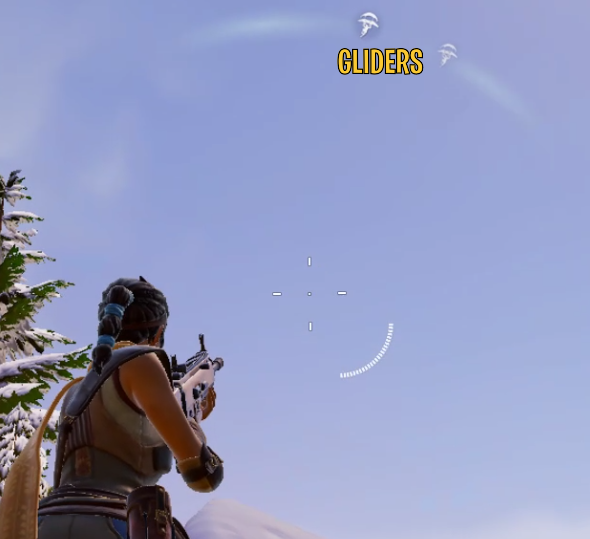
- Gliding
- Indicates someone has their glider deployed nearby. This icon shows up most often when in the sky, where you may be free-falling or using your glider also.
- This icon is probably most used during initial drop from the Battle Bus at the start of a game although it can definitely show up later in game also.
- Bunker Spawning
- Indicates a bunker is currently spawning nearby in the direction indicated
- Rift
- Indicates a person has entered a rift or something is coming out of it
- Train
- Indicates the direction of the train, seemingly no matter how close or far away it actually is
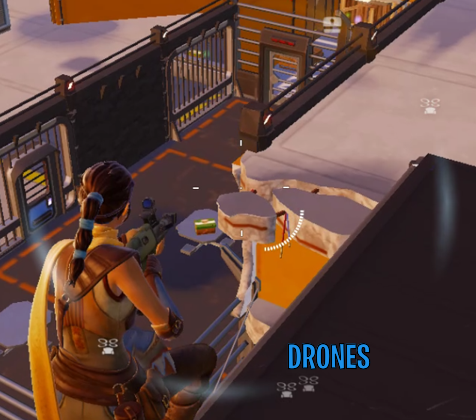
- Drones
- Indicates the direction of nearby drone(s), which can provide heals and weapons when shot down
- Hoverjets
- Indicates when someone is using a hoverjet (often also called a jetpack) or similar item nearby. There are different types of these devices, and they don’t exist in every season, but when they are present, this visual sound effect also exists.
To learn more about the importance of sound, see our section on Headphones vs Speakers.